It drafts. It waits. You decide.
Every action starts as a draft. Every send stays cancelable for 60 seconds.
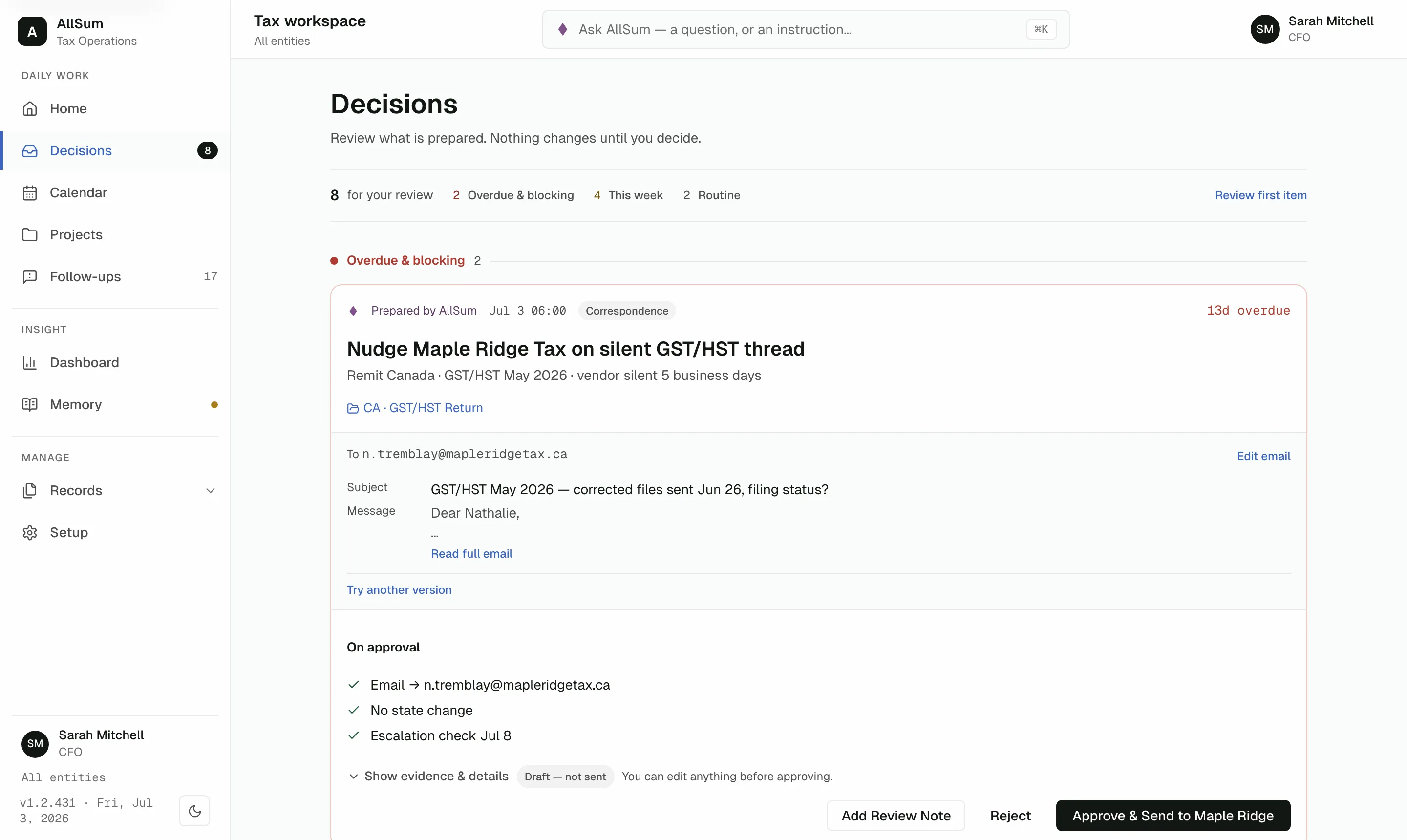
AllSum is an AI tax operations workbench: it does the routine coordination for your overseas subsidiaries, and every action waits for a person's approval. It cannot file a return or move money.
How a piece of tax work moves
Prepared
Deadlines watched, mail drafted, evidence attached.
Reviewed
You approve, edit, or reject. Nothing runs silently.
Reversible
Sends hold for 60 seconds. Records reverse, never delete.
What AllSum will never do
File a return.
Move money.
The capability does not exist. No setting enables it, no role overrides it.
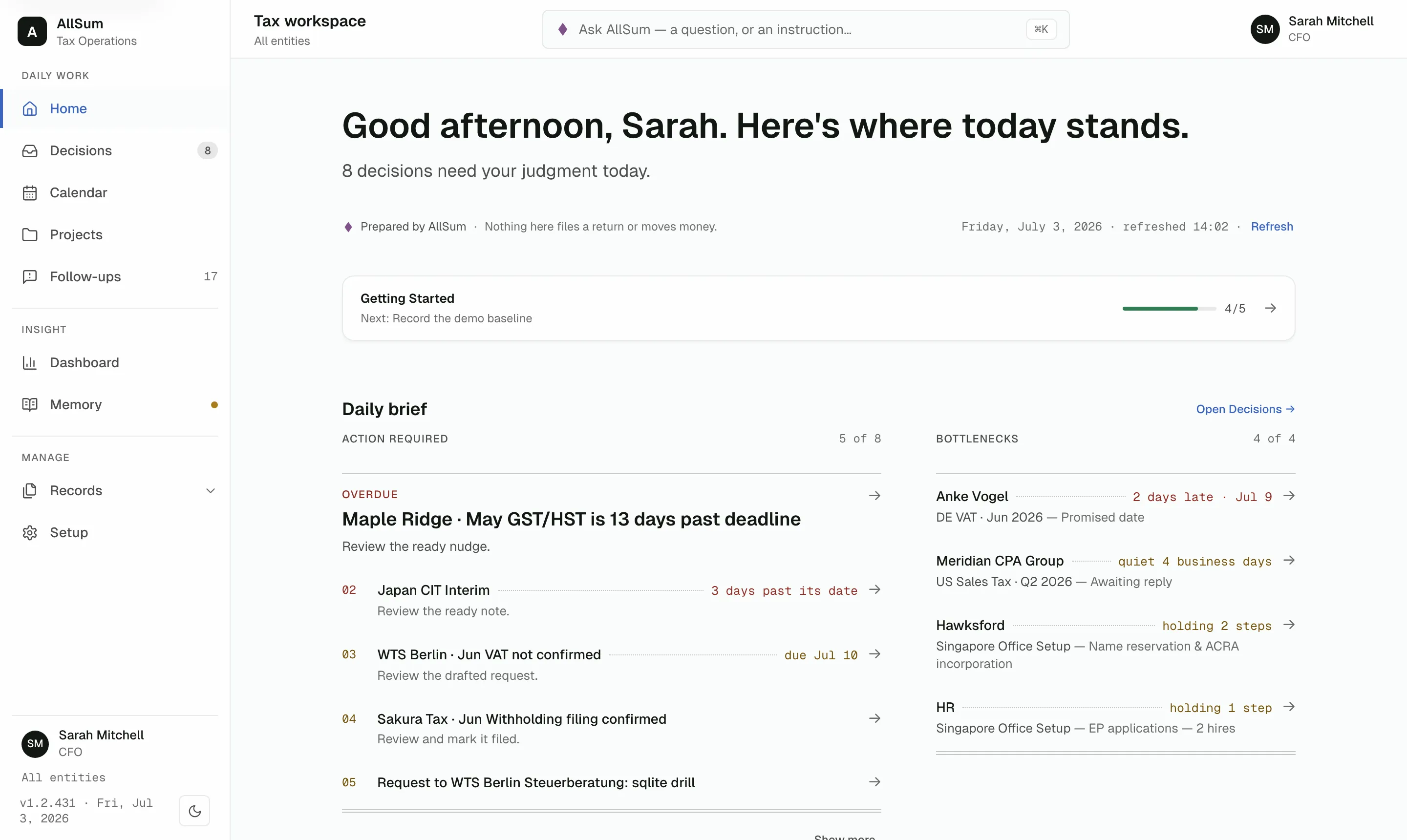
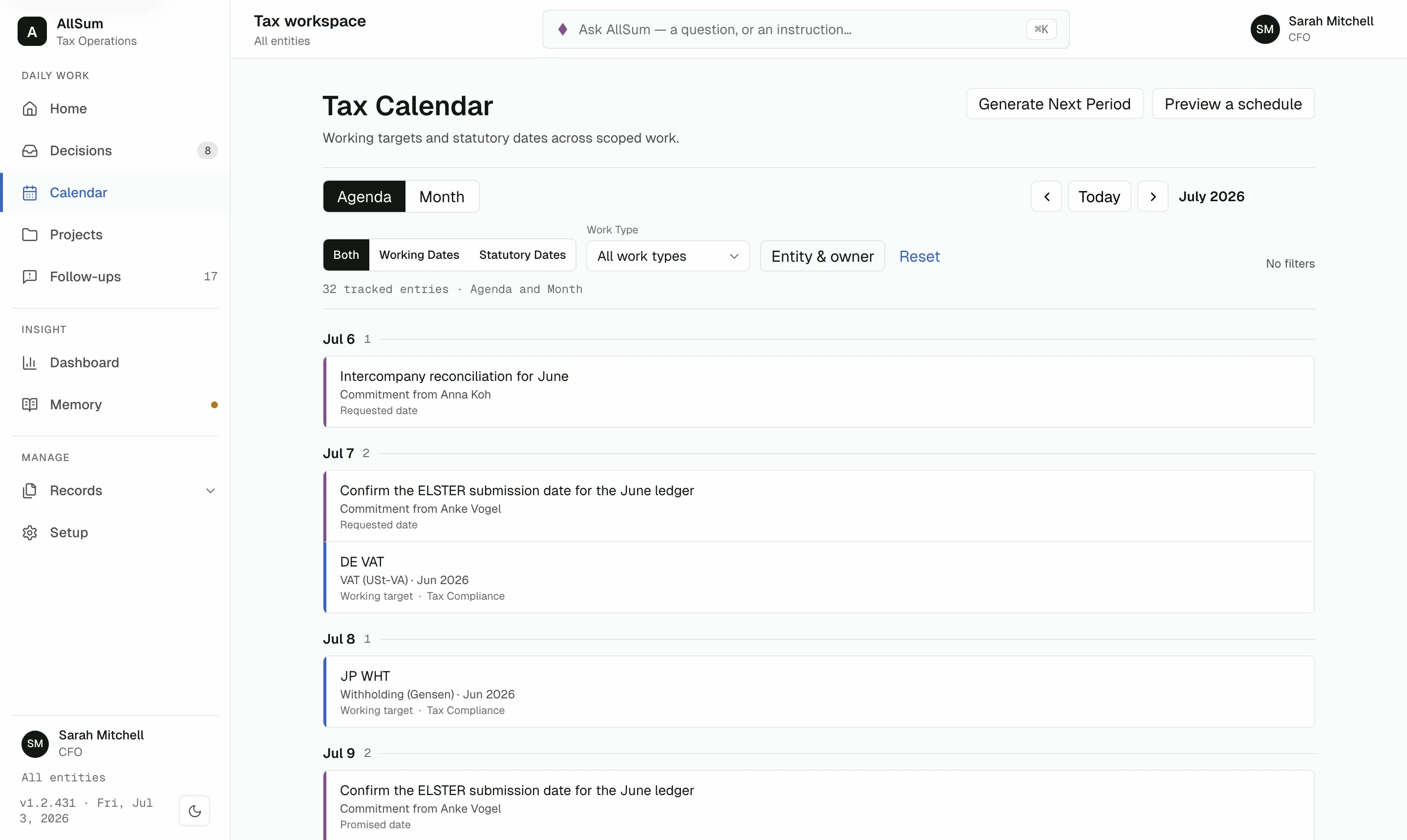
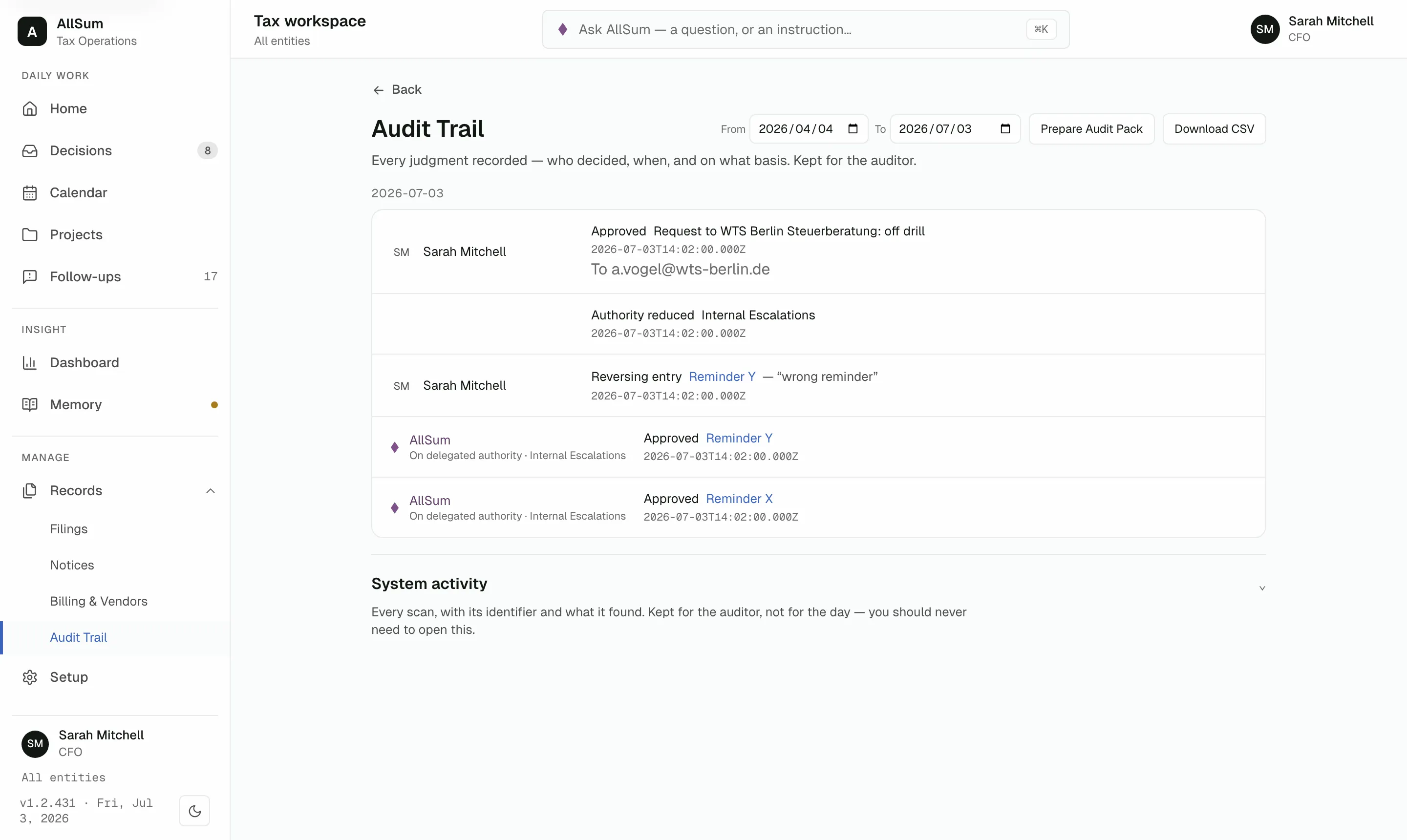
Autonomy is earned: twenty clean decisions before it may act alone, one rejection to lose it.
Questions
What is AllSum?
AllSum is an AI tax operations workbench for companies running overseas subsidiaries. It watches statutory deadlines and internal targets, drafts vendor and authority email, and prepares each piece of work with evidence attached. A person approves, edits, or rejects; nothing executes silently, and it cannot file a return or move money.
Can AllSum file returns or make payments?
No. Those functions do not exist in the system. No setting enables them, no role overrides them, no level of trust earns them. Approvals in AllSum prepare and record work; your team performs filings and payments outside it, the same way you do today.
What happens when I approve an email?
The recipient is frozen at approval, and the send holds for 60 seconds so you can cancel. A sent email cannot be recalled, so AllSum waits before every send. After it goes out, the reply can only come back as a task for your review.
Who can see and approve what?
Access follows the assignments you set: each reviewer works the entities in their remit. Every judgment is recorded permanently: who decided, when, and on what basis. No role, however senior, unlocks filing or payment; those stay outside AllSum for everyone.
What does our auditor get?
A permanent record. Every judgment stores who decided, when, and on what basis. Nothing is ever deleted: corrections post as reversing entries with the original still visible. When the auditor asks, you export an audit pack covering the period rather than reconstructing it from email.
How does the pilot work?
AllSum is in pilot with multinational finance teams, currently across eight jurisdictions. You bring the filing calendar you already keep, we load it, and you run a real quarter with every action held for your approval. Write to hello@allsum.ai and we will schedule a working session.
Is this AI, and what does it never decide alone?
Yes. AllSum uses AI to prepare the work: reading approved senders' replies, drafting email, flagging a date that disagrees with the calendar. A routine may act alone only after roughly twenty decisions, at least 95 percent approved unedited, none rejected in thirty days. Filing and payment never qualify.
Run a quarter on your real calendar.
Bring the filing calendar you already keep; everything stays a draft until you decide.